7 Best Photography & Video Equipment for Content Creators
*PR: Contains gifted Joby and Manfrotto items only.
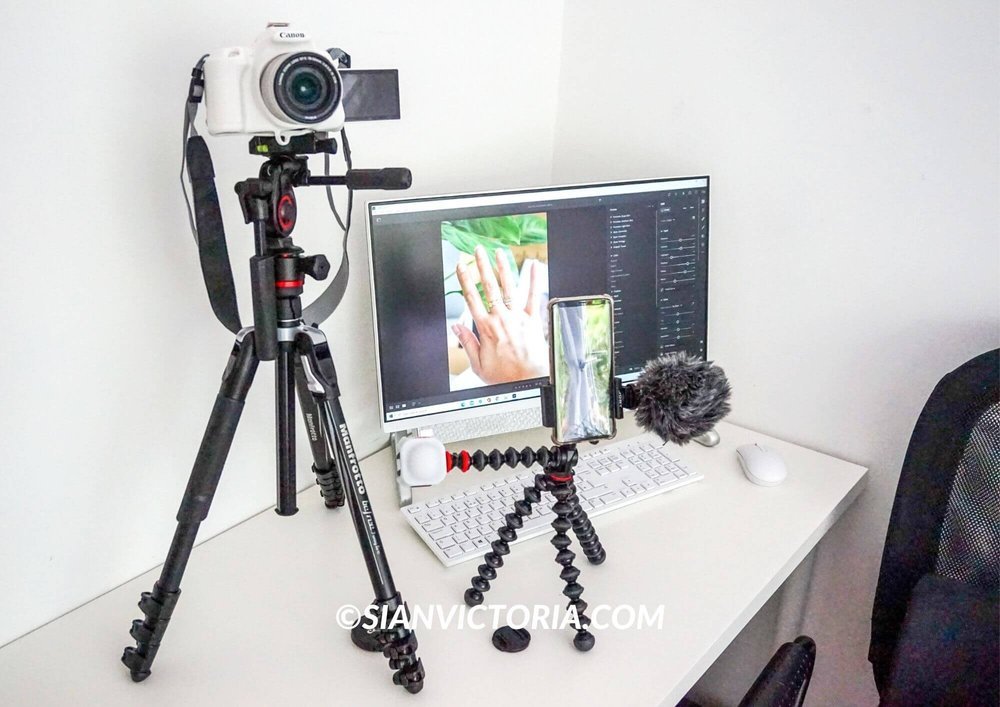
Sian Victoria © - Joby GorillaPod & Manfrotto photography equipment
Guide to Camera & Filming Gear for Creating Photos & Videos
Blogging has been my full-time business since 2010. In the early years, I relied on friends and family to help me shoot my content, but they never quite got the angle or style I wanted. So, I bought cheap equipment from the usual affordable online marketplaces, such as a portable tripod and handheld camera stabiliser. They were not brilliant but were handy for the first couple of uses until they broke while I was shooting and travelling.
As a blogger, vlogger, and influencer, I spend my days creating photos and videos. The right equipment is essential to help me save time and get the content I need to the best quality possible. When I calculate the money I've wasted on cheap equipment over the years, I realise that I should have invested in myself from the start and saved myself the stress and inconvenience.
If you've watched any of my earlier YouTube videos, you'll see how awful I was at videography because of my shaky hand. Some Reddit users even pointed out this flaw in the comments.
So, as someone who has been in this industry for over 13 years and has learned from many mistakes, I highly recommend investing in yourself right from the start if you want to create high-quality professional content that will help grow your business, audience, and engagement quickly.
Here are the top pieces of equipment and software that I use daily to help me create my content. These tools assist me in capturing high-quality photos by adjusting colours and resizing pictures and allow me to edit a video by trimming clips and colour-grading them easily. These essentials have enabled me to improve my photography and videography skills in recent years, making a significant difference in the content's convenience, enjoyment, and outcome.
1. Joby GorillaPod Mobile Vlogging Kit
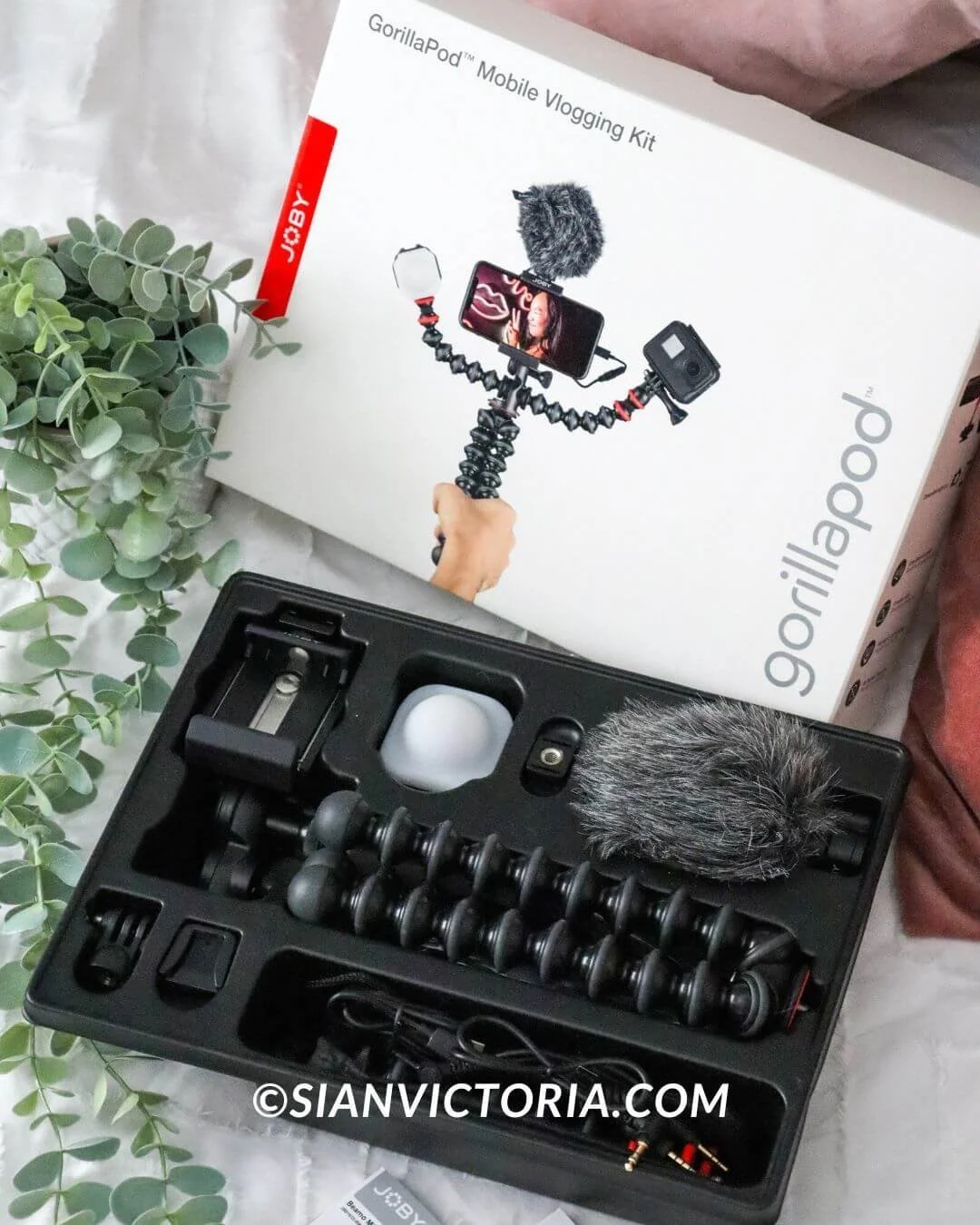
Sian Victoria © - Joby GorillaPod Mobile Vlogging Kit
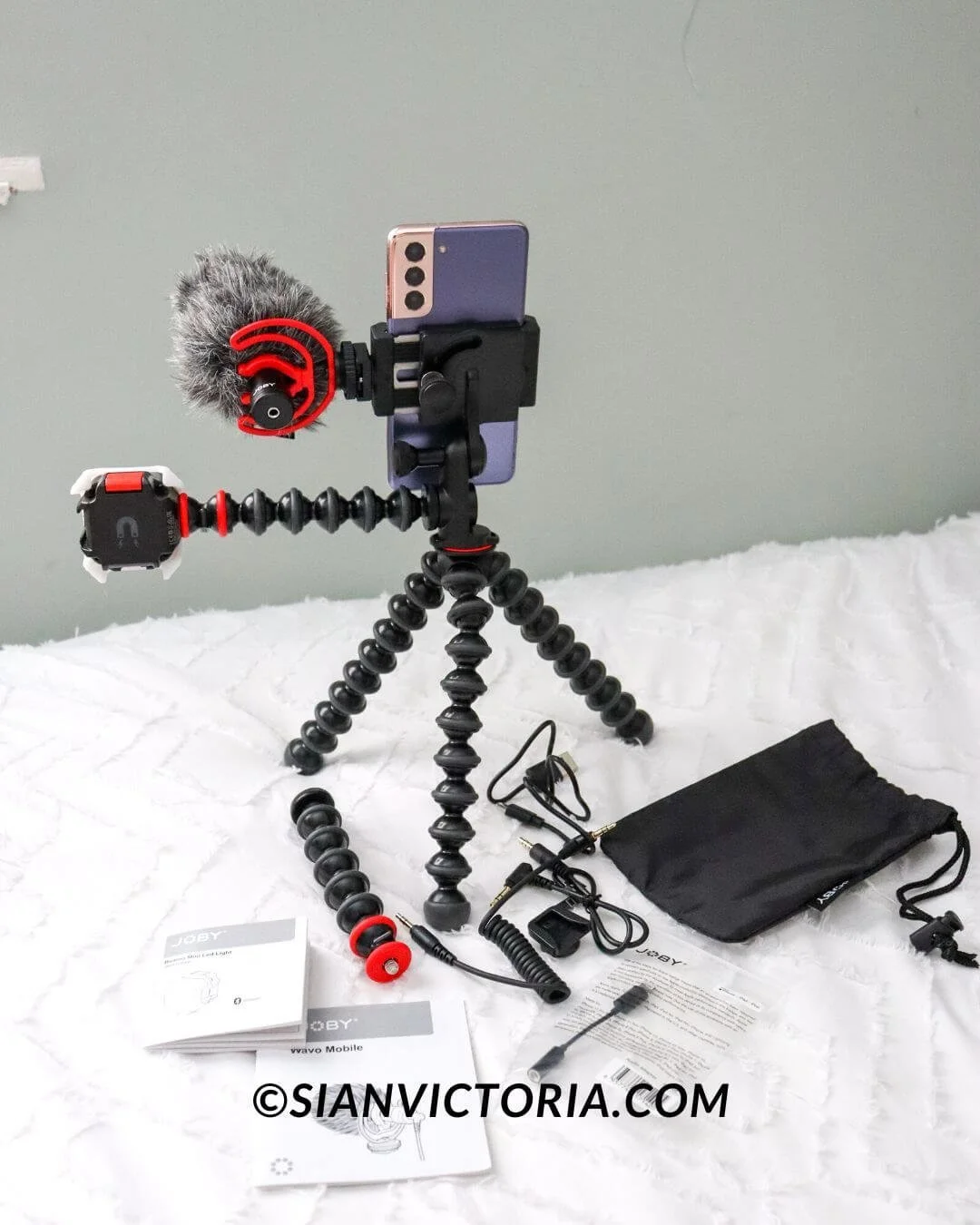
Sian Victoria © - Joby GorillaPod Mobile Vlogging Kit
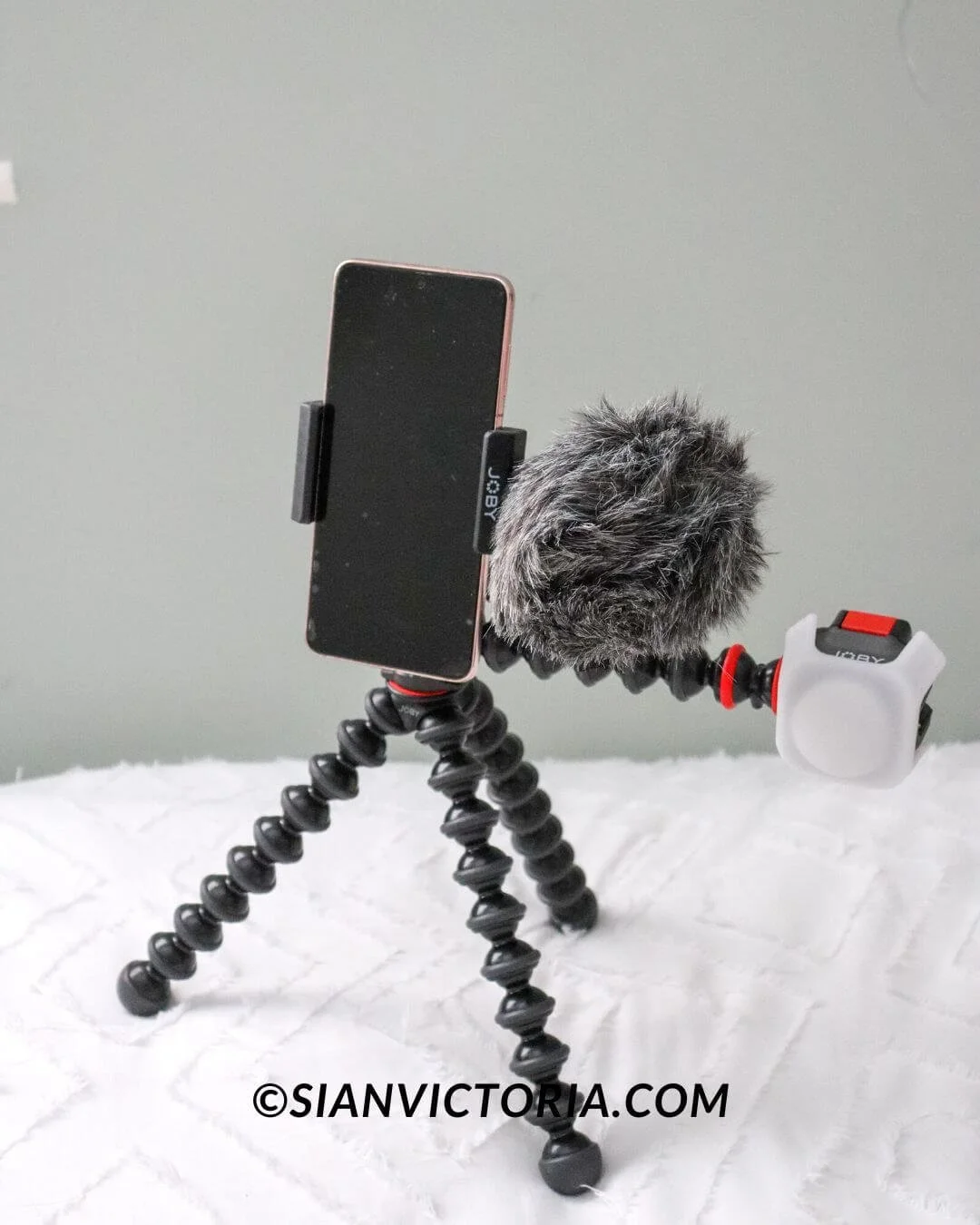
Sian Victoria © - Joby GorillaPod Mobile Vlogging Kit
Sian Victoria © - Joby GorillaPod Mobile Vlogging Kit
Sian Victoria © - Joby GorillaPod Mobile Vlogging Kit
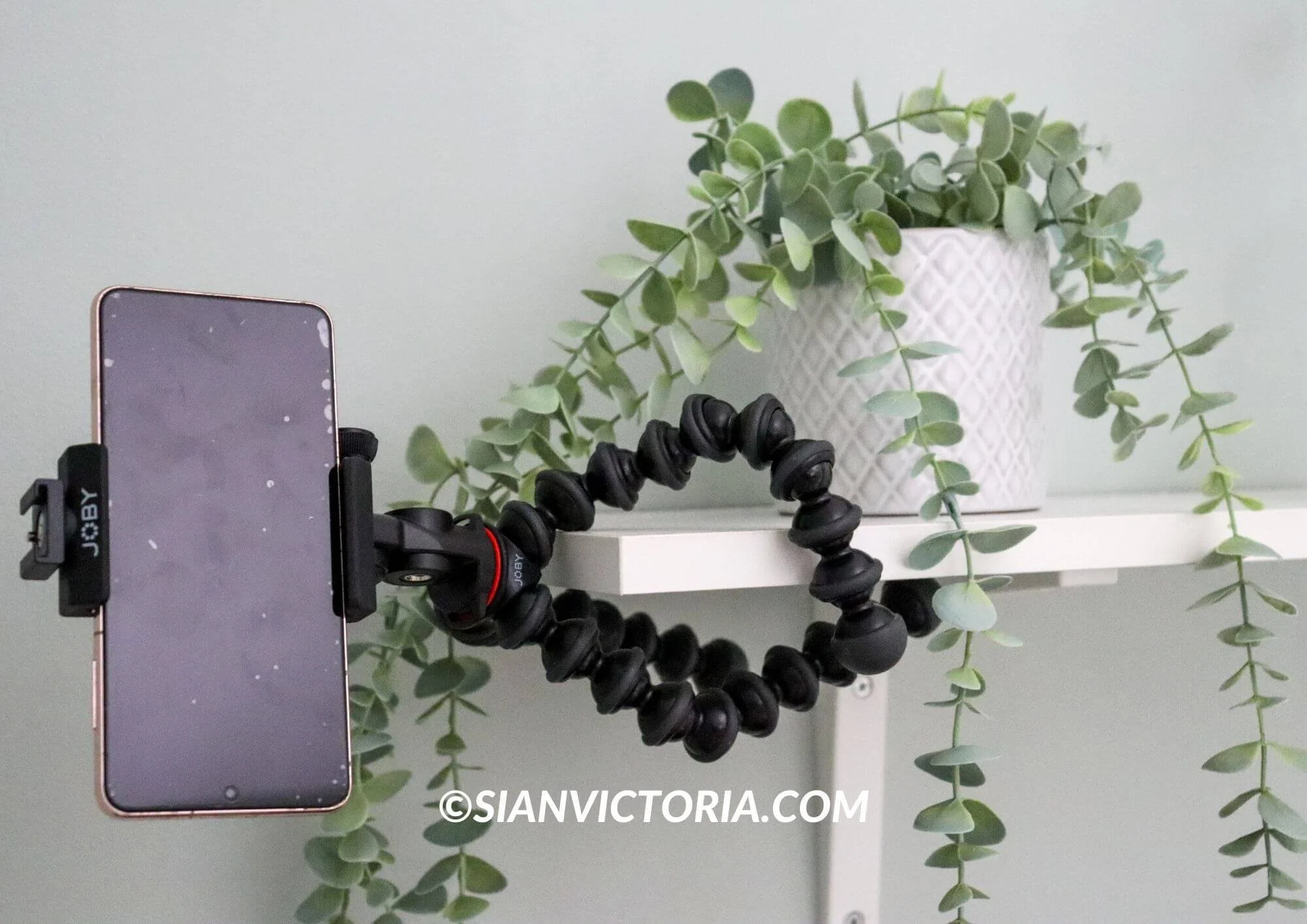
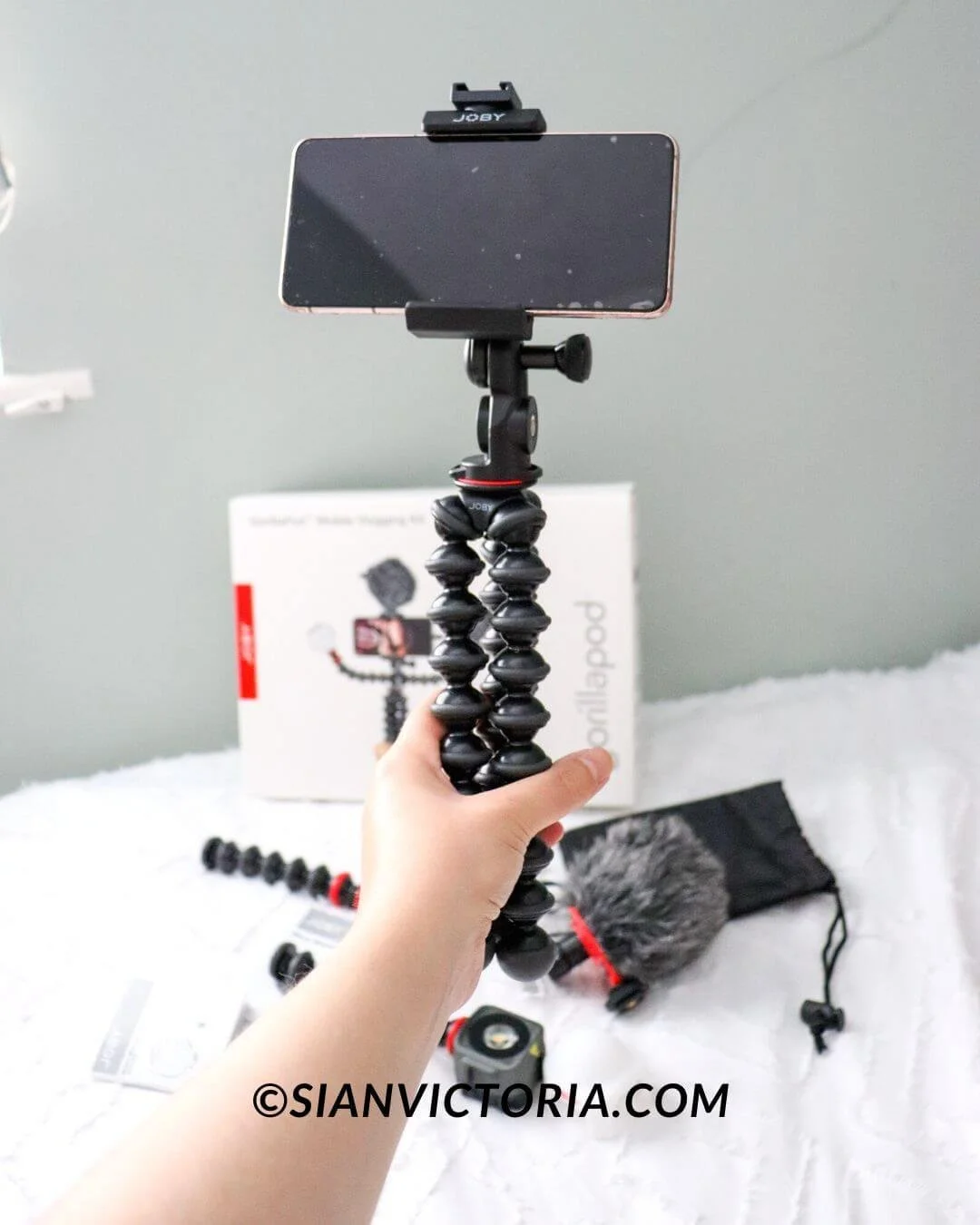
If you’re an aspiring vlogger, the Joby GorillaPod Mobile Vlogging Kit is the perfect portable equipment to get started. It has everything you need to shoot professional-looking videos conveniently with your mobile phone or lightweight compact camera. You can film in portrait mode to create TikToks, Instagram reels and YouTube shorts, or you can adjust it for filming landscapes instead.
The GorillaPod is a flexible tripod that allows you to securely stand, grip, or wrap around most things to get unique angles and above shots for a broader perspective. I find this kit brilliant for unboxing videos where I need both hands in the shot without being in the video myself. I’ve also used it wedged between two rocks to get me walking into the distance on a beach and twisted around a curtain pole to get wide-angle photos while doing hotel reviews. It has many great uses.
Suppose you are featuring yourself or others and talking in your videos. In that case, the Phone/Camera-compatible Wavo Mobile Mic and Beamo Mini LED will assist you in creating crisp sound videos while offering flawless lighting. The kit is fully customisable, so if you don’t need a microphone or light on a particular day, store them away until you do.
2. Manfrotto Befree 3-Way Live Advanced Kit
Sian Victoria © - Manfrotto befree 3-way live advanced kit
Sian Victoria © - Manfrotto befree 3-way live advanced kit
Sian Victoria © - Manfrotto befree 3-way live advanced kit

Sian Victoria © - Manfrotto befree 3-way live advanced kit
Sian Victoria © - Manfrotto befree 3-way live advanced kit
Sian Victoria © - Manfrotto befree 3-way live advanced kit
Investing in an excellent quality tripod will make all the difference and save you time and effort. Over the years, I’ve lost countless hours and money using inadequate cheap tripods. I’ve even smashed a camera in the process due to a faulty mount. I’m not necessarily saying spend hundreds of pounds on a tripod. Just don’t buy one for under a tenner on eBay or Amazon.
You’ll soon discover why investing in a high-quality tripod that lasts many years is best. It will quickly pay for itself in terms of efficiency. Think of it as a personal assistant who will do the job effectively every time.
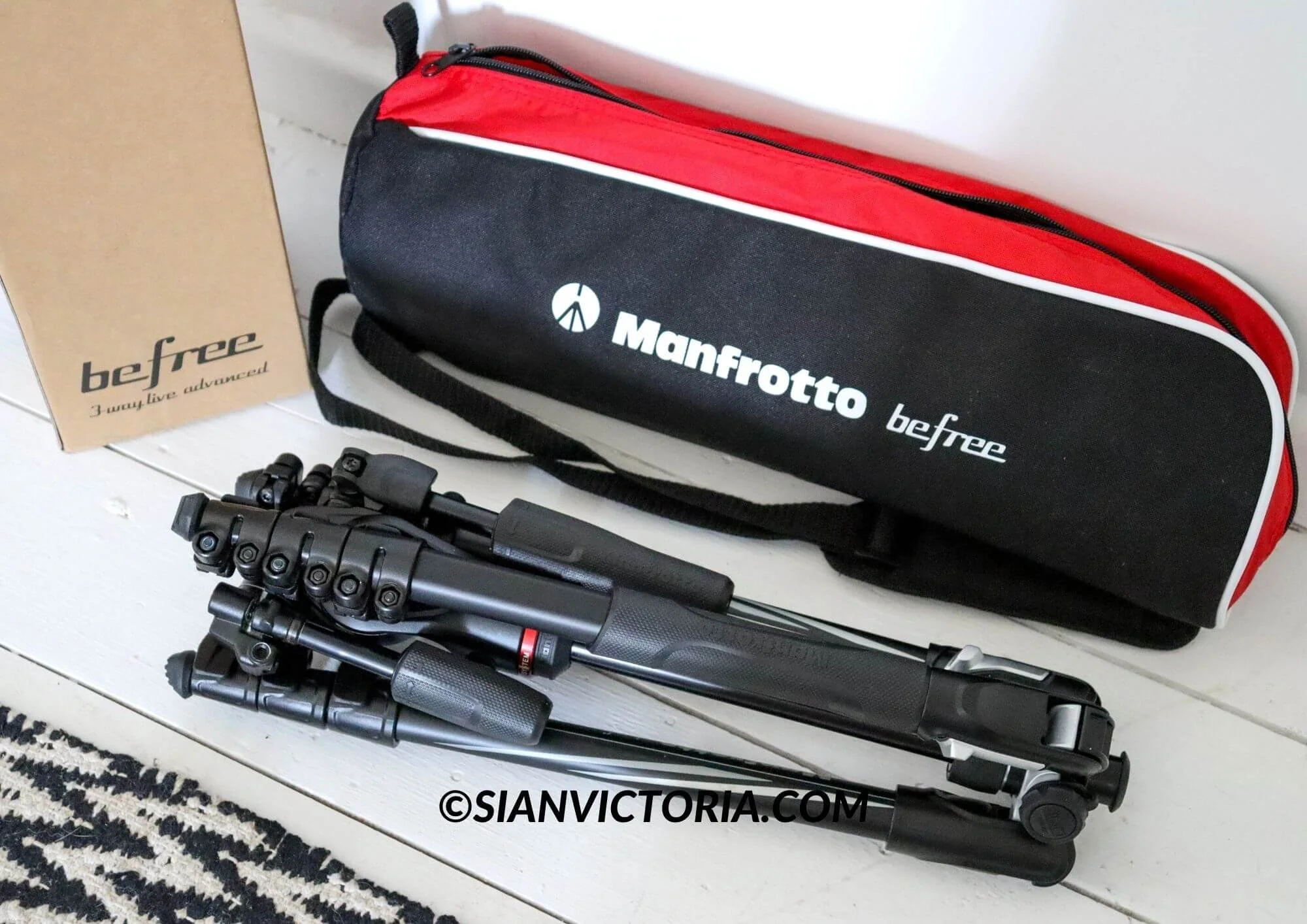
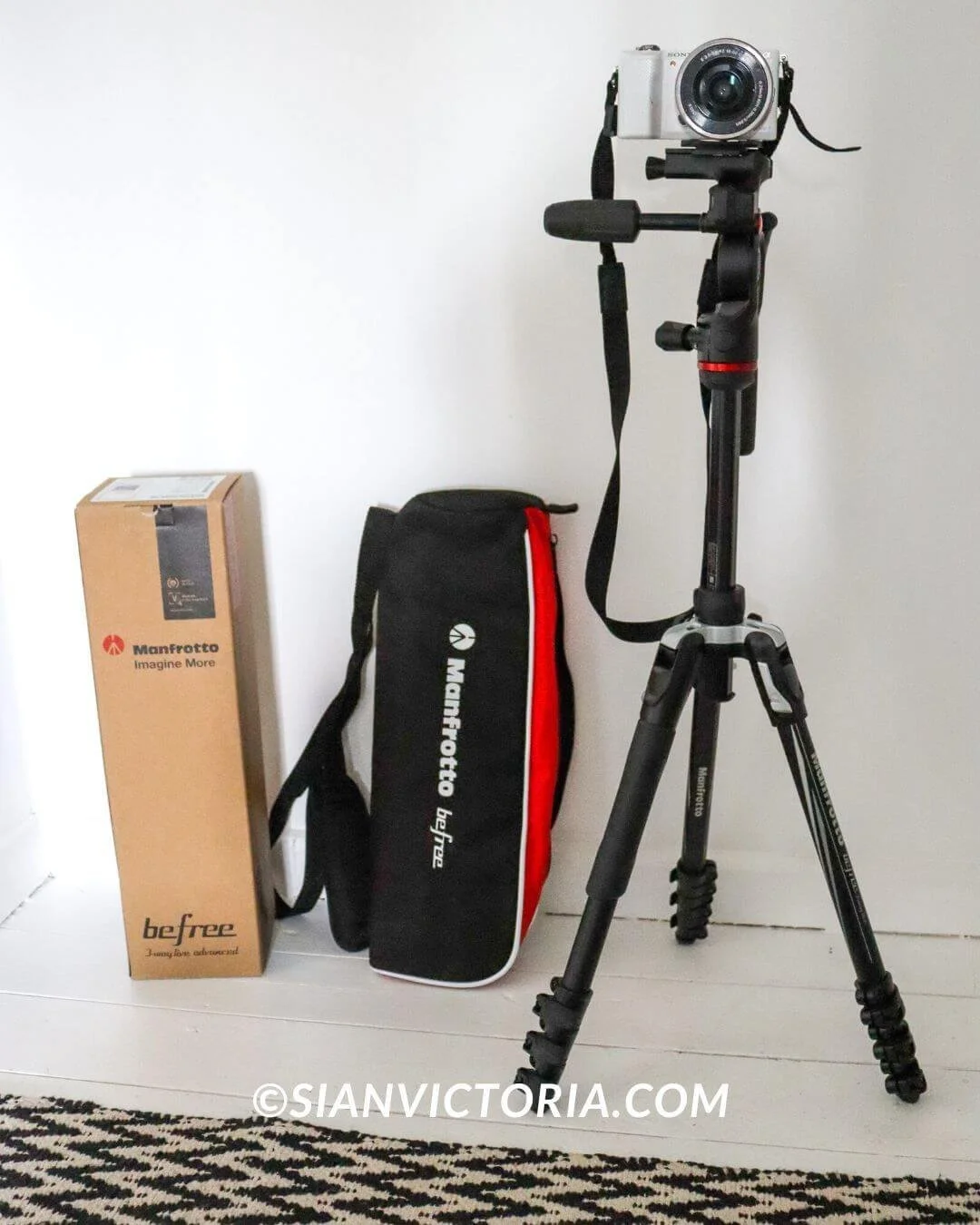
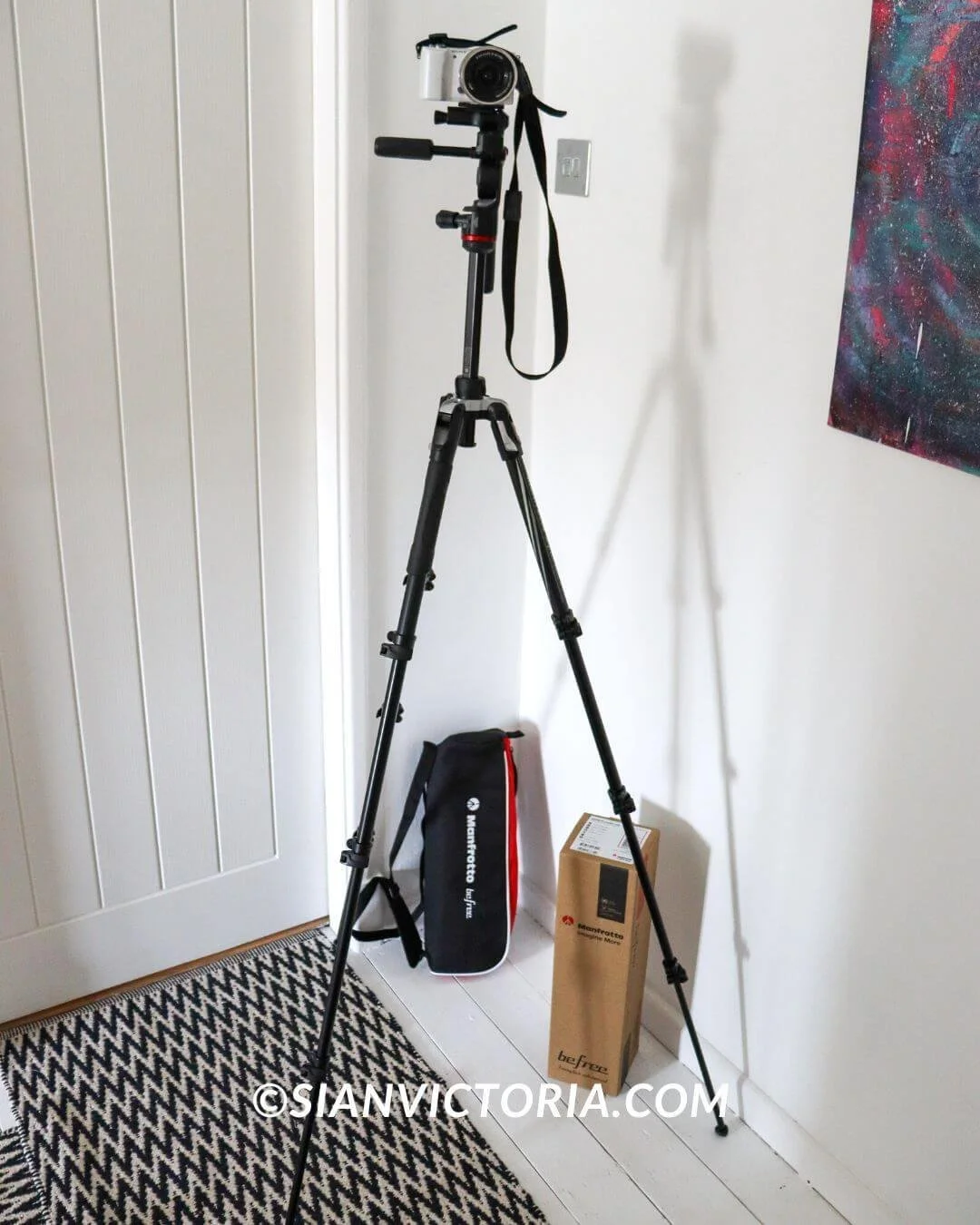
Recently, with huge thanks to Manfrotto, I was able to add the Manfrotto Befree 3-Way Live Advanced Kit to my everyday work essentials. In the short time I’ve had it, my productivity has tripled; I’m getting photos and videos completed quickly without compromising on quality as I’m now able to effortlessly get the angles I need without feeling frustrated and can conveniently pack it away, knowing that it's not going to be broken the next time I come to use it.
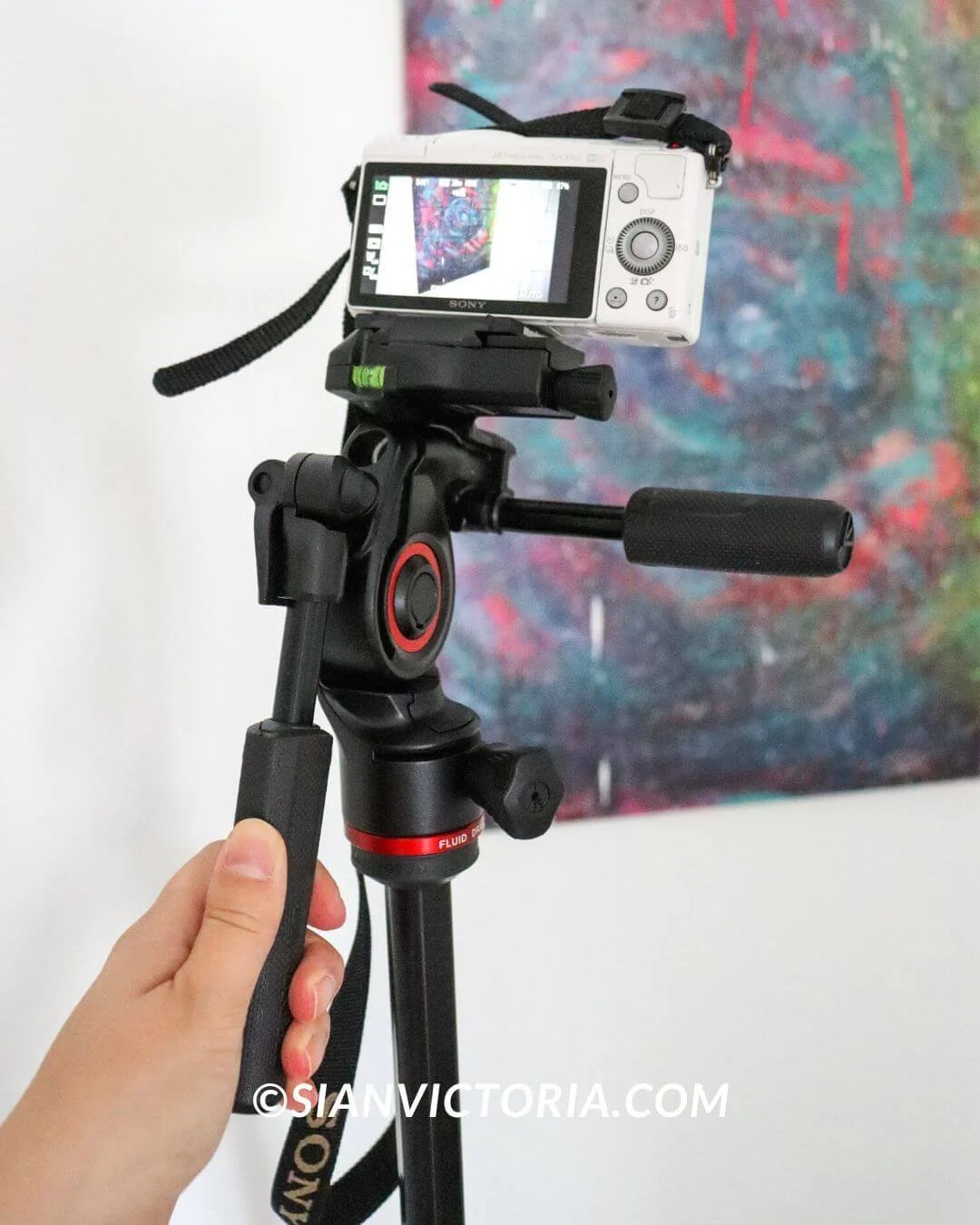
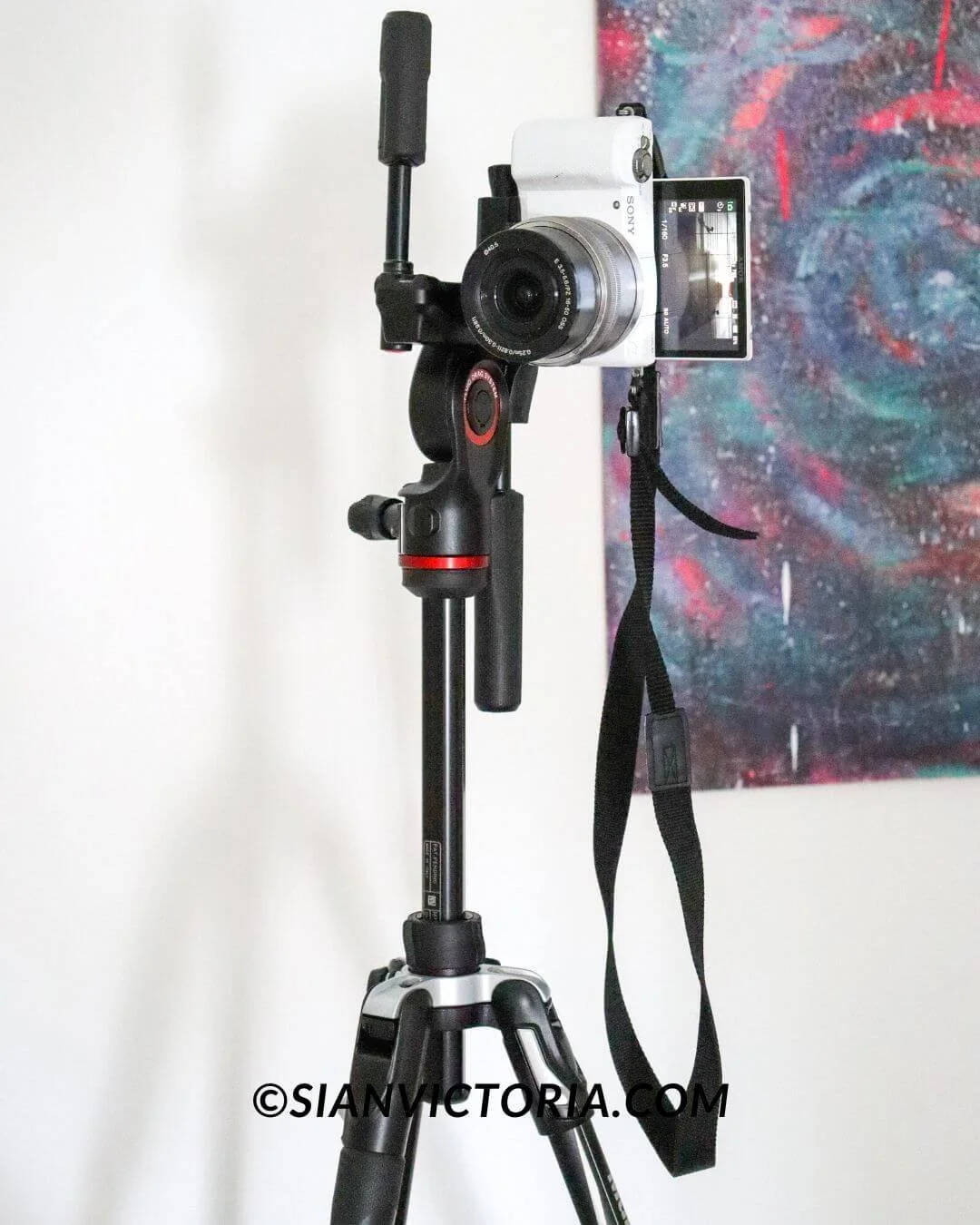
The high-performance photo/video kit is portable and ultra-compact, made in Italy using sturdy metal. Its fluid drag system is perfect for filming videos in panoramas that require smooth tilt movements for a quality finish.
As all social media content creators know. Shooting photos and videos in portrait mode is essential to get the most engagement. With previous cheap tripods, I was never able to capture in portrait mode as the angle would always be off-balance, meaning it wouldn’t be a straight image, and it would risk the tripod toppling over as it wouldn’t be sturdy enough in the portrait position when using a DSLR camera.
A pricey L-shaped bracket can be fitted with a little effort to get around this. But with the Manfrotto Befree 3-Way Live Advanced Kit, it’s unnecessary as you can conveniently shoot between landscape and portrait mode within seconds with no additional equipment.
Suppose you’re a solo traveller capturing action shots or simply an everyday photographer, videographer or content creator who needs reliable equipment with everything you need to create the best photos and videos in one piece of equipment - in that case, I recommend making this kit your best companion.
3. Joby Smart Stabilizer
Sian Victoria © - Joby Smart Stabilizer
Sian Victoria © - Joby Smart Stabilizer
Sian Victoria © - Joby Smart Stabilizer
Sian Victoria © - Joby Smart Stabilizer
As you may know, filming videos for Instagram reels, YouTube shorts, and TikToks is essential for your brand to grow its social media audience and stay current with content trends.
Using the Joby Gorillapod to film videos from your mobile is perfect if your video doesn’t require moving around, as the tripod will stay in place wherever you need it positioned. Holding the tripod legs while you move around to film does help keep the video relatively steady. But if you are unable to keep a steady hand like me, then I recommend the Joby Smart Stabilizer.
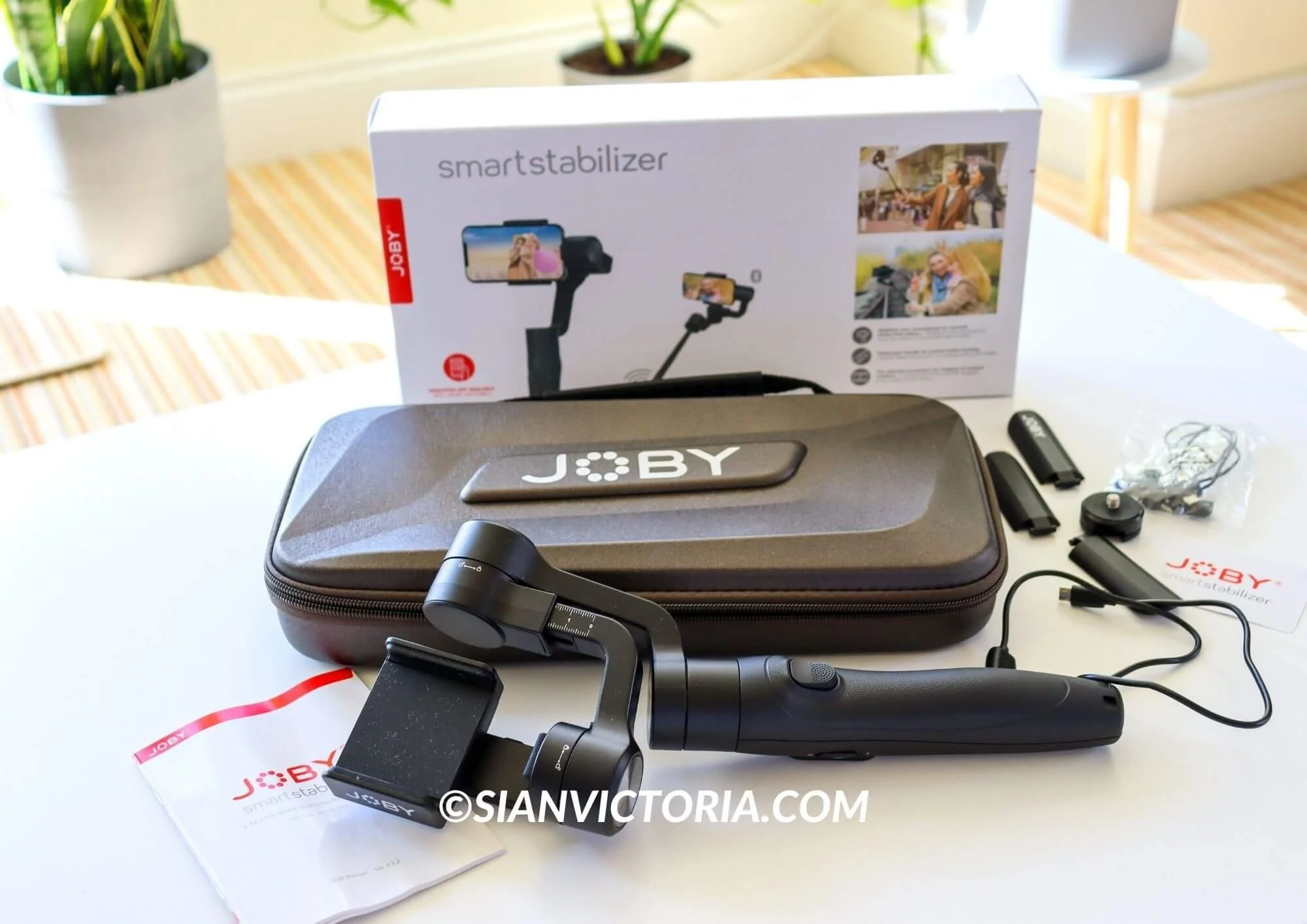
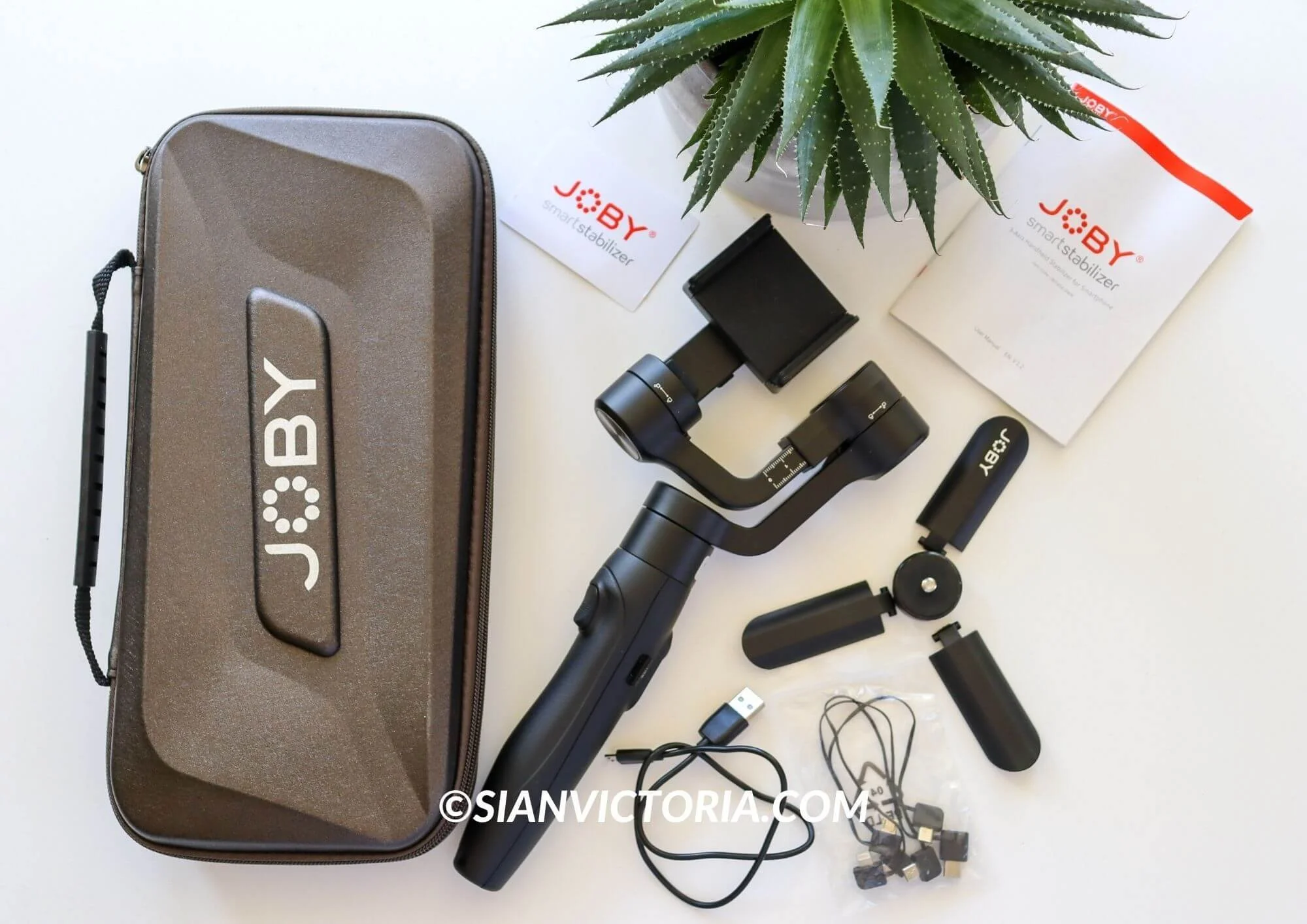
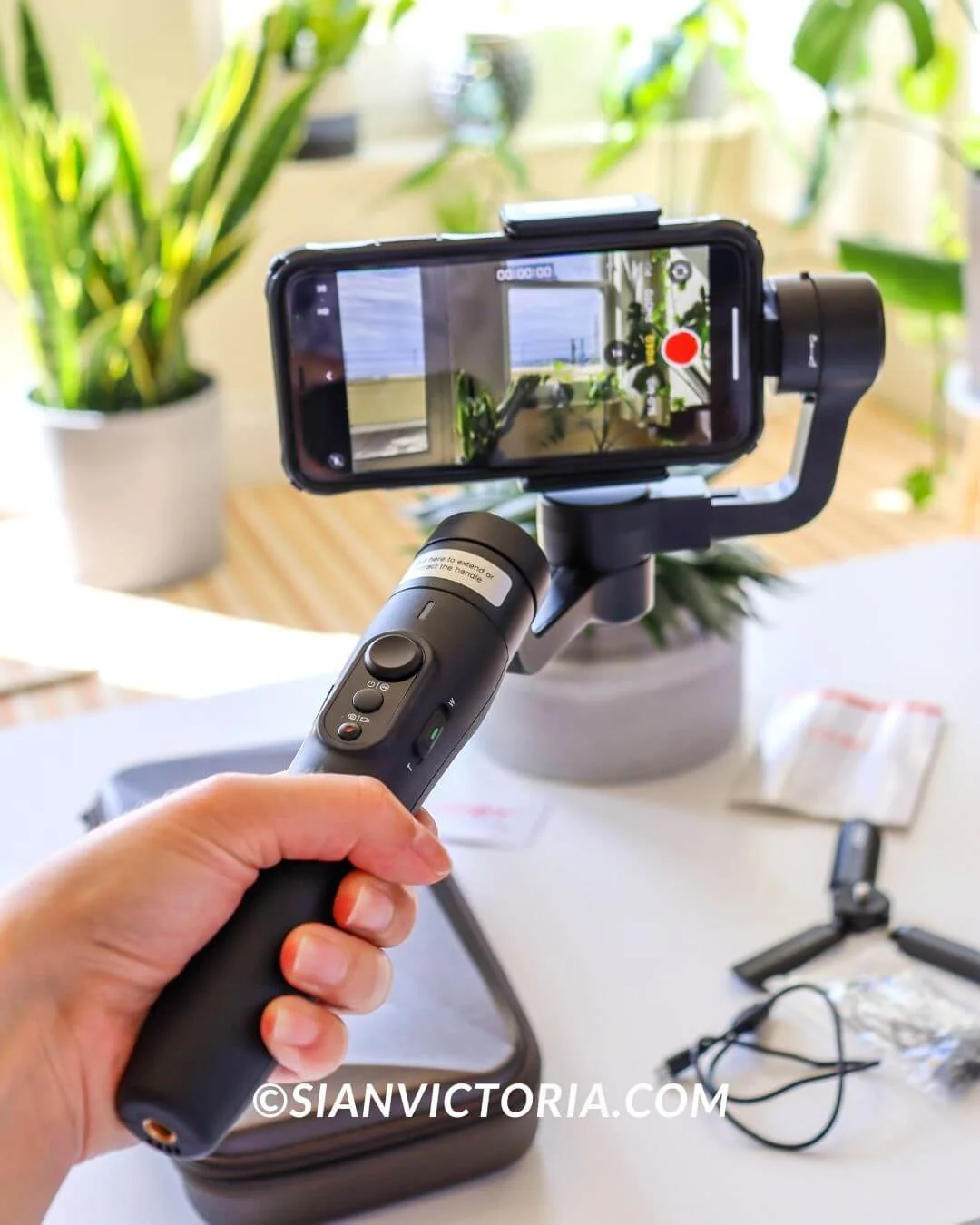
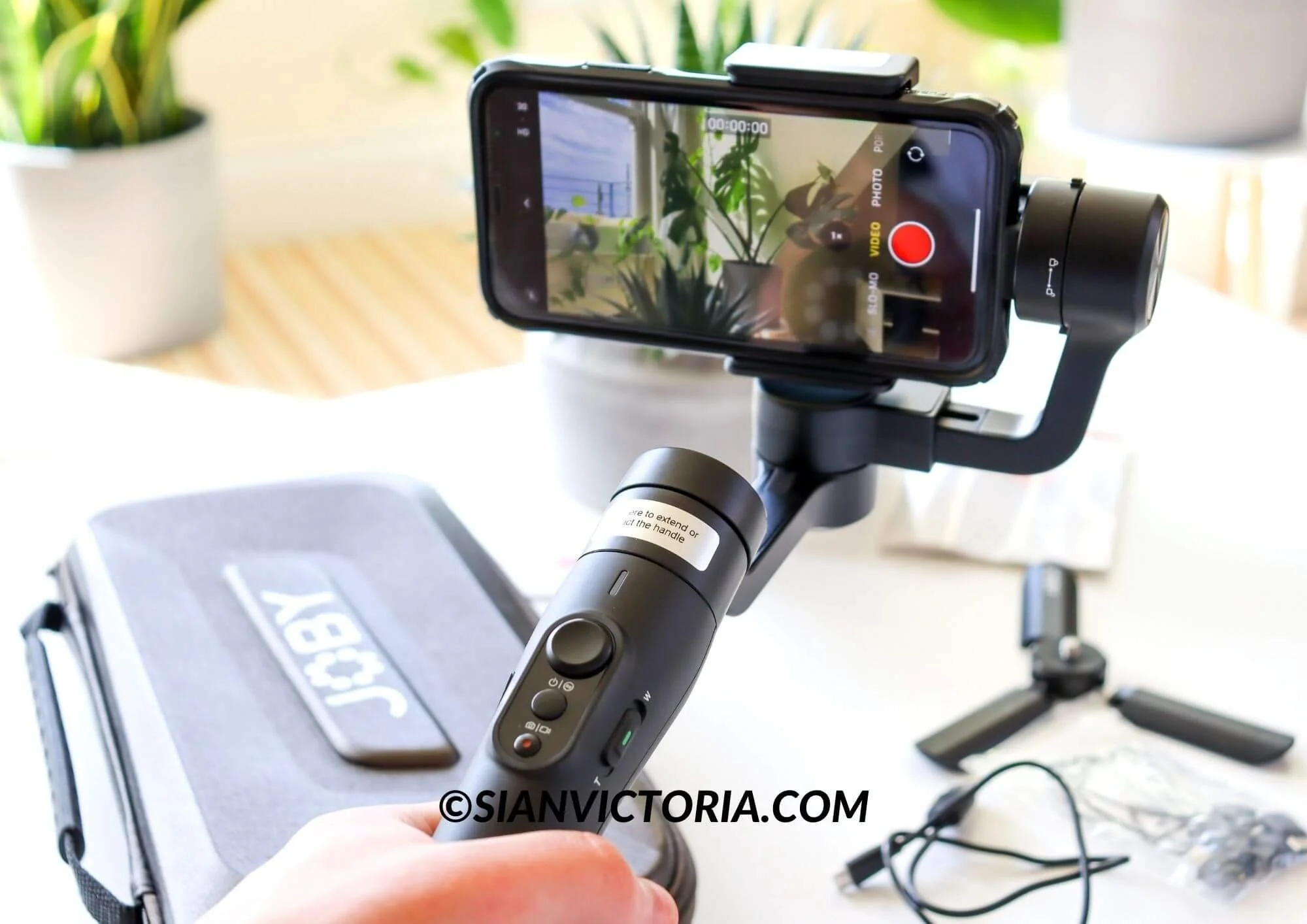
The Smart Stabilizer is the perfect solution if you need to film landscape or portrait videos from your mobile while you’re on the go. It has a 3-axis smartphone gimbal and a telescopic handle extending up to 7 inches. It is excellent if you’re filming yourself in videos and want your audience to see a broader perspective behind you. It is also great if you want to film high and in compact spaces.
With a 10-hour battery life and a built-in rechargeable battery, this handy and compact device gives you plenty of time to film a day’s worth of content. I recommend watching the official Joby product demonstration video on YouTube or reading the instruction manual, as it can take a little time to get the hang of using it.
But once you’ve discovered its filming features and how to navigate the buttons and the 320 ° tilting angle axis, you’ll wish you’d got a smart stabiliser sooner. It creates effortless smooth pans perfect for filming landscapes or filming yourself and others, as the Smart Stabilizer App has face and object tracking.
To keep it safe, it comes in a sleek carrying bag with a wrist strap, various cables, and a small tripod to fix the stabiliser in position. This is handy when using the app so that it can automatically track what you want it to focus on.
This would also be brilliant for filming interviews, wildlife, beauty videos, etc. If you need some extra height, it can be attached to the flexible GorrillaPod or fixed Manfrotto tripod.
4. Joby GorillaPod® 5K Rig

Sian Victoria © - Joby GorillaPod® 5K Rig
Sian Victoria © - Joby GorillaPod® 5K Rig
Sian Victoria © - Joby GorillaPod® 5K Rig
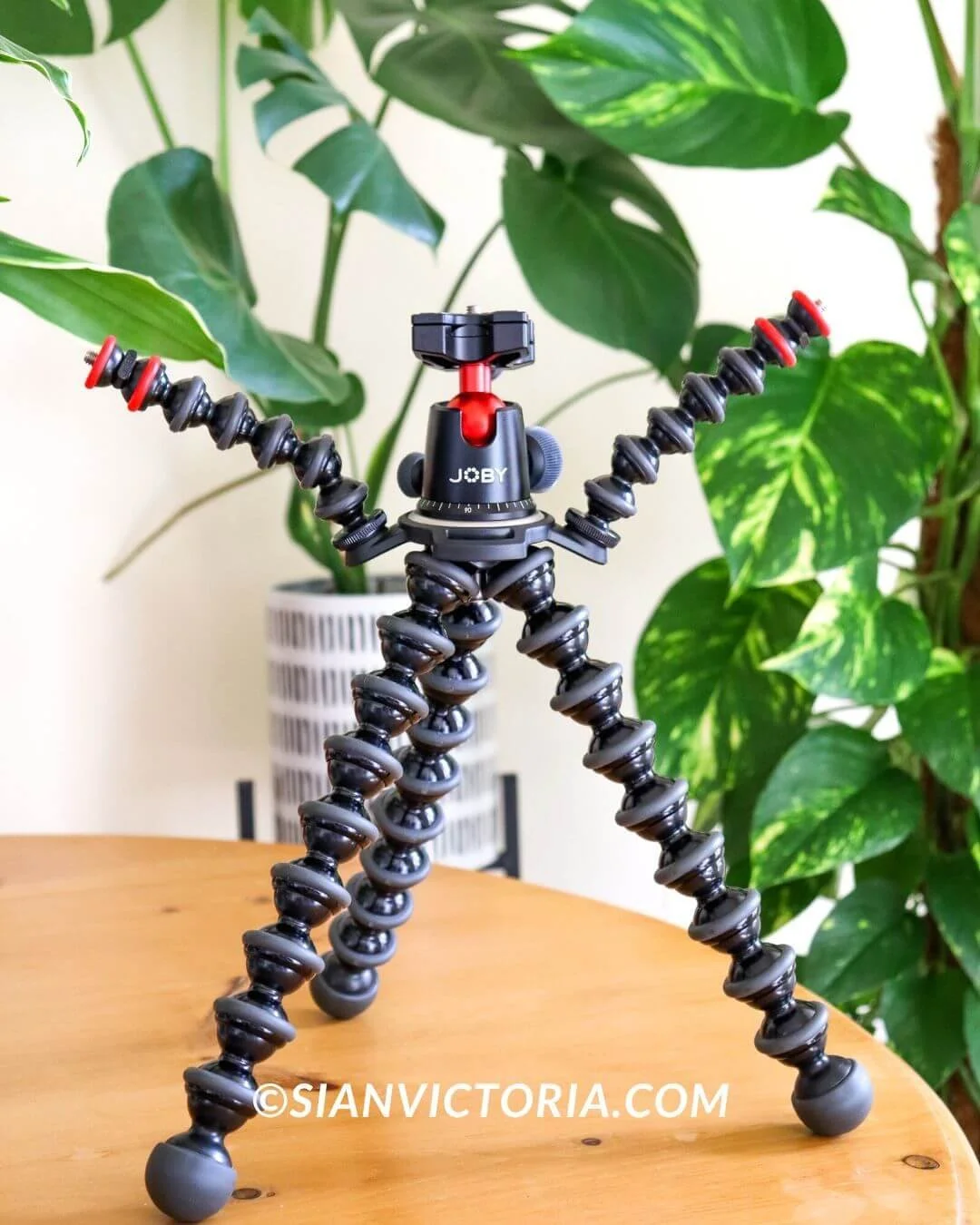
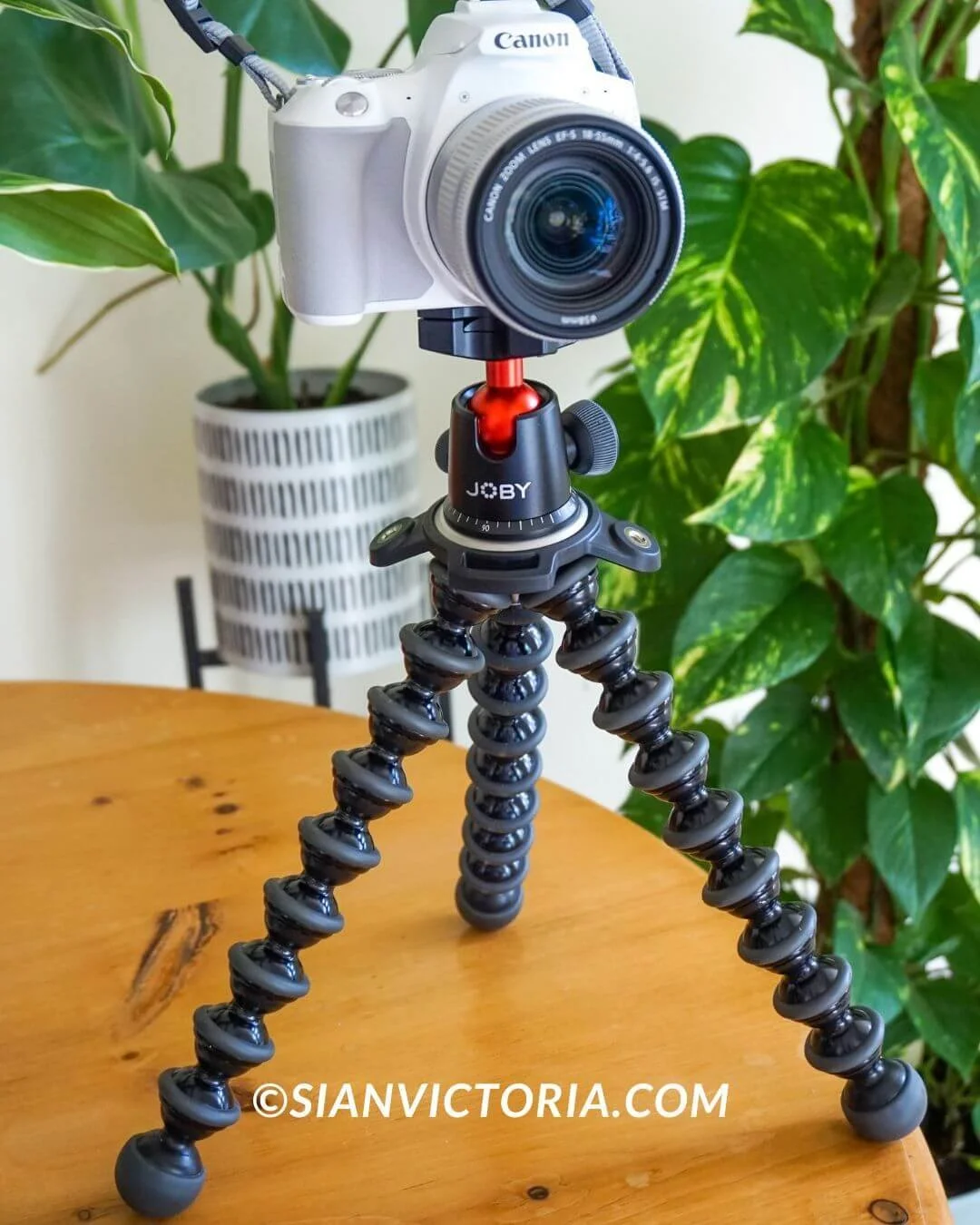
If you prefer a professional camera to take videos and photos rather than your smartphone, and you require a small tripod wrapped around trees or wherever you need to capture unique angles, the GorillaPod® 5K Rig is what you’ll need.
Depending on the weight of your DSLR camera, you’ll need to choose from a variety of GorillaPod rigs to ensure the flexible legs and the mount can support the weight. My Canon EOS 250D with an EF-S 18-55mm lens is more than suitable for the 5K rig, so I don’t have to worry about it toppling over.
The GorillaPod ball-and-socket design with rubberised grips allows you to adjust the position of your camera with precision. The two-arm attachments enable you to mount additional lights and speakers.
You can also attach the mount from the Joby GorillaPod Mobile vlogging kit so that if you are streaming, you have an additional smartphone camera angle at the side of the DSLR. This allows you to read a script or engage in a live feed of your audience while you’re filming.
The flexible legs of the GorrilaPod allow you to grip, wrap, stand, or hold your camera hand-held to film in difficult or almost impossible positions. Thus, your creativity has no limits, and you can effortlessly create professional-looking videos without any assistance.
To be extra secure when wrapping the flexible legs around things, you can also attach a strap to wrap around the pod and the object to give you complete confidence that your camera is secure.
5. Canon EOS 250d DSLR camera with tiltable screen

Sian Victoria © - Canon E0S 250D DSLR Camera
Over the past 17 years, I’ve used many cameras, such as Fujifilm, Nikon, Sony, and Panasonic, but I always find my way back to using a Canon. I bought this Canon EOS 250D DSLR camera before the pandemic to go travelling with it. So far, that hasn’t happened, so I haven’t used it to its full potential yet.
However, over the past year, it’s been the perfect companion and has helped me take my photography to the next level. It features a 24.1-megapixel sensor and a tiltable screen, making it perfect for vlogging or taking photos of yourself as you can see what you’re shooting. My favourite and most useful feature if you’re an influencer needing to take photos of yourself is linking it to your mobile to shoot remotely. Doing this with the assistance of a Manfrotto tripod makes creating self-content easy.
The Canon 250D has a little weight, so I still use my lightweight and compact Sony a5000 camera for the days I don’t fancy carrying a more oversized bag as the quality isn’t that different. The Sony is a brilliant camera that can be used remotely via mobile and has a tiltable screen. I also use my latest Samsung mobile, which is just as good for taking quality shots without a camera, and I want to create some unplanned content.
So, when you’re looking for a high-quality camera for vlogging/blogging, make sure it has a tiltable screen, can be used remotely to capture images using a mobile, and can transfer images/videos directly to your phone for conveniently doing work and sharing to social media on the go. When you’ve found the perfect camera, find a silicone cover, a tempered glass screen protector, and a case that fits well to keep it safe.
6. Adobe Creative Cloud photography editing software
Sian Victoria © - Canon E0S 250D DSLR Camera & Creative Cloud Adobe Photoshop
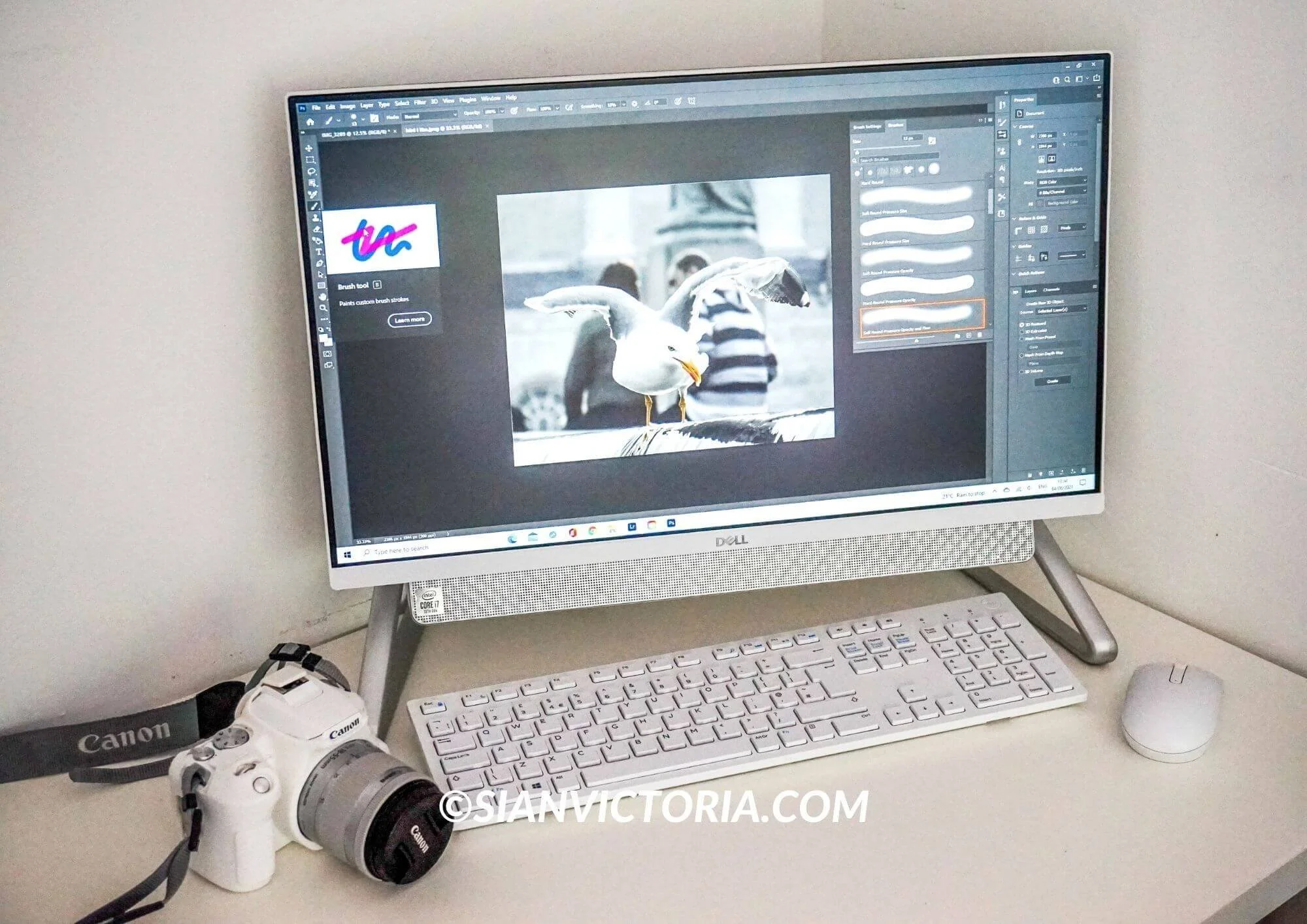
Once you’ve created your images, you’ll need to enhance them with editing software to ensure they’re perfectly polished before uploading them to social media. Photoshop and Lightroom via the Adobe Creative Cloud subscription app have always been my go-to. For years, I used the free mobile Lightroom and Photoshop app before eventually investing in a monthly subscription to gain access to all its features and to use it from my desktop.
The iconic Lightroom pre-sets will bring your photography to life and make all the difference. It’s undoubtedly the best photo editing app I’ve used to make my Instagram feed look brighter and more detailed.
To further streamline my editing process, I also use a picture resizer tool to ensure my images are the appropriate size for web and social media use without compromising on quality. This saves me a lot of time and effort, especially when uploading multiple images simultaneously.
Another mobile and desktop app I can’t be without is Canva. I use it to add these unsightly copyright logos in my work, which I wouldn't say I like having to do. Still, when you’ve been blogging for over 13 years and discover your intellectual property being used without permission by over 8,000 companies worldwide for their financial gain, it is, unfortunately, necessary to take back control of my work. Besides this, I also create my Pinterest boards and YouTube thumbnails on Canva.
As a full-time photographer and content creator, I recommend monitoring this. To do this, I use the copyright enforcement agency Pixsy to monitor, track, and remove my images from websites and social media that do not have the IP rights to use them. Surprisingly, many people and businesses don’t understand the basics of copyright law and how it financially and mentally affects small business owners when licencing rights have not been bought and instead stolen without credit or kindly asking first.
If you're often dealing with images, switching file formats can be a routine thing. This is super helpful when you want to share visuals online since JPGs are usually liked for their smaller size and ease of use. Having tools that let you easily convert PNGs to JPGs is really handy.
7. InVideo online video editing tool
Sian Victoria © - InVideo editing software
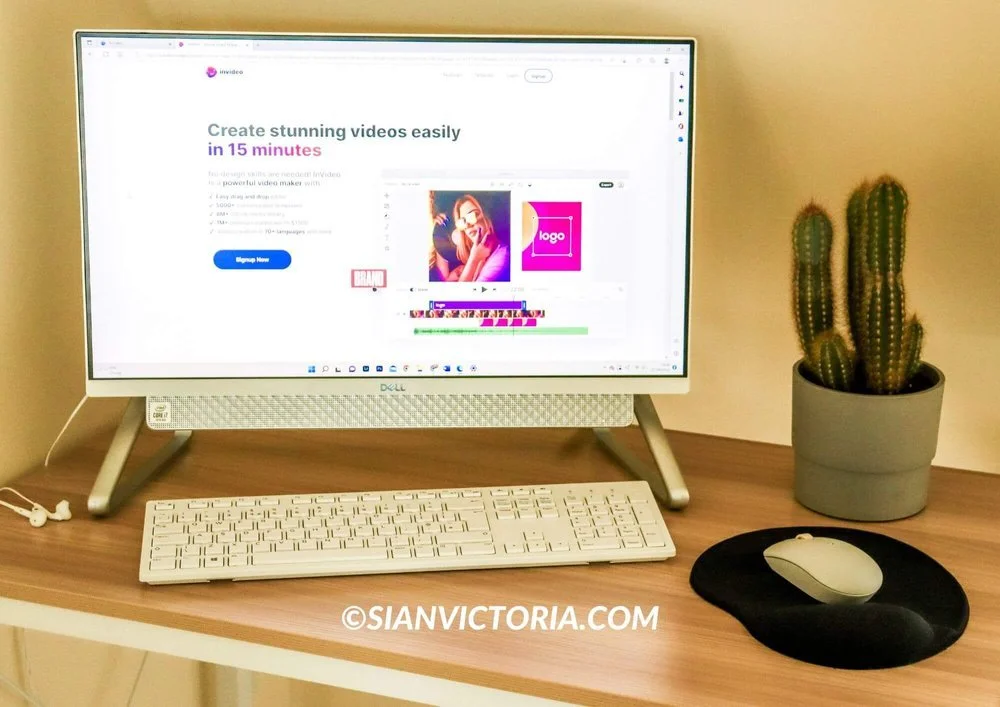
When it comes to editing videos, InVideo is a good choice as it is easy, quick, and fun to use. Whether importing recorded videos or using existing text alongside stock footage, you’ll find the editing process with the software a breeze.
The editing platform allows you to add text, lower thirds, and motion graphics and use animated icons, video transitions, masks, and overlays to create great-looking videos for all your projects. It is perfect for creating Instagram reels, YouTube Shorts, and TikToks.
There are many useful features; you can easily combine clips, cut, flip, and change the speed. The best part is you can play the video with predefined colour filters or change the saturation, exposure, and hue to make the video pop and stand out.
Since I started colour-grading my videos, I’ve received many more views and comments. Bright, beautifully detailed videos make a difference and are more enjoyable to watch.
To conclude
Take it from someone who has been in this industry since 2010: investing in the right equipment and software can make a massive difference in the quality of your work and the efficiency of your workflow.
By carefully selecting the tools that suit your needs and budget, you can streamline your creative process and focus on what really matters—producing captivating content that engages and resonates with your audience. So, take the time to research and invest in the right tools, and watch your content creation business thrive.


